Are you constantly looking for ways to slash your weekly grocery bill without sacrificing the products your family loves? While digital apps and loyalty cards are great, the power of a physical, printed coupon remains an incredibly effective tool for immediate savings. Imagine confidently walking to the checkout, armed with a stack of discounts that you curated yourself, turning a daunting total into a manageable expense. This isn’t about extreme couponing; it’s about smart, strategic saving that anyone with a printer can master.
Printable coupons bridge the gap between online deals and in-store shopping. Sourced from manufacturer websites and trusted coupon portals, they offer a tangible way to cut costs on everyday necessities. However, the process can feel intimidating at first. Many new savers encounter frustrating hurdles like special printing software, confusing print limits, or coupons that come out blurry and unscannable. These common issues can deter even the most determined budgeter, but they are easily overcome with the right knowledge and preparation.
This comprehensive guide provides expert tips for coupon printing, designed to transform you from a novice to a seasoned saver. We’ll walk you through everything you need to know, starting with the essential gear, including the best printers and paper for the job. You’ll learn the step-by-step process for printing successfully, how to troubleshoot common problems, and advanced strategies for organizing your coupons to maximize their value. By avoiding a few common mistakes, you’ll ensure every coupon you print puts money back in your pocket.
Understanding the Basics of Printable Coupons
Printable coupons are essentially digital discounts that you find online and print out at home to use in physical stores. Unlike coupons clipped from newspapers, these are sourced directly from manufacturer websites, dedicated coupon portals, and even store loyalty programs. They represent a fantastic way to take control of your savings by choosing the exact offers that fit your family’s needs before you even leave the house.
The process is incredibly straightforward: you find a coupon for a product you plan to buy, print it, and present it to the cashier at checkout. The cashier scans the barcode on the coupon, and the discount is immediately applied to your total bill. The primary benefit is tangible, instant savings on groceries, cleaning supplies, and personal care items, which can significantly reduce your weekly spending and free up room in your budget.
Finding reliable printable coupons is easier than you might think, with many major brands offering them directly on their websites. You can also explore trusted online coupon databases that gather thousands of offers in one place. For families looking to maximize their savings, combining these printed discounts with a smart shopping list is a powerful strategy, especially when incorporated into your weekly Meal Planning on a Budget.
By integrating printable coupons into your shopping routine, you can make a noticeable difference in your household expenses. This method works wonderfully alongside other saving techniques, such as using Cashback Apps for Everyday Savings to earn money back on your purchases. It’s all about layering different strategies to ensure you never pay full price when you don’t have to.
Essential Gear for Efficient Coupon Printing
To truly master couponing, you need the right tools for the job. While you don’t need a professional print shop in your home office, having reliable equipment makes the process smoother and more cost-effective. Setting up a simple, efficient station ensures your coupons are always clear, scannable, and ready to save you money at the checkout line.
Choosing the Right Printer for Savings
The heart of your couponing setup is the printer, and the choice between inkjet and laser is a big one. Inkjet printers are often less expensive to buy and can produce vibrant colors, which is a bonus if you print photos or school projects. However, the recurring cost of ink cartridges can add up quickly, especially with frequent use.
If you opt for an inkjet, look for models with high-yield or extra-large cartridges to reduce the cost per page. Some newer printers feature refillable ink tanks, which can be a game-changer for high-volume printing. These models have a higher upfront cost but offer incredibly low-cost, long-term printing that serious couponers love.
For dedicated savers, a monochrome laser printer is often the best printer for coupons. These printers use toner instead of ink, and a single toner cartridge can print thousands of pages before needing replacement. Since most coupons print perfectly in black and white, you can save a significant amount on supplies without sacrificing scannability.
Ink and Paper Considerations for Quality Prints
Once you have a printer, the next step is stocking up on supplies. Your choice of coupon printer ink or toner will directly impact your costs. While third-party or remanufactured cartridges can seem like a bargain, they can sometimes be unreliable or even damage your printer, so weigh the risks carefully.
You don’t need to splurge on special paper for coupons. Standard, everyday copy paper is all you need to get the job done effectively and affordably. Buying it in bulk reams is the most economical way to ensure you always have paper on hand for a great printable offer when you see one.
Before you hit “print,” take a moment to adjust your printer settings for coupons. Selecting “draft,” “economy,” or “grayscale” mode uses significantly less ink or toner while still producing a barcode that scans perfectly. This simple tweak can dramatically extend the life of your cartridges, saving you even more money.
Keeping all your supplies like paper and extra ink in one spot makes printing coupons a quick task rather than a frustrating hunt. This simple habit is a key part of How to Organize Your Home for Better Savings, turning your money-saving efforts into a seamless part of your routine. A well-organized system helps you stick with your savings goals, whether you are printing coupons or trying out Meal Planning on a Budget.
| Tip Category | Key Action | Benefit |
|---|---|---|
| Equipment Setup | Choose a monochrome laser printer and use standard paper. | Lowers long-term printing costs for ink/toner. |
| Printing Process | Set printer to ‘Grayscale’ and ‘Normal’ quality. | Saves on color ink while ensuring barcodes are scannable. |
| Organization | Use a binder or accordion file to sort coupons by category. | Prevents expired coupons and makes finding deals in-store easy. |
| Advanced Strategy | Pair printed manufacturer coupons with store sales. | Maximizes savings by stacking discounts on a single item. |
Step-by-Step Guide to Printing Coupons Successfully
Once you’ve found promising offers, the next hurdle is getting a usable coupon from your printer. The process can seem tricky due to special software and print limits, but it’s straightforward once you know the steps. Following this guide ensures you get clear, scannable coupons every time, avoiding frustration at the register. Let’s walk through exactly how to print coupons step by step.
Locating and Selecting Your Printable Coupons
Your journey begins on coupon aggregator websites, brand homepages, or manufacturer portals. These sites display galleries of available offers for everything from cereal to cleaning supplies. As you browse, you can “clip” the coupons you want, which adds them to a virtual print queue, much like adding items to an online shopping cart.
This selection process is a perfect time to consult your grocery list. By choosing coupons for items you already plan to buy, you maximize real savings and stick to your plan for Meal Planning on a Budget. Once you’ve selected all the offers you need, you’ll typically see a “Print Coupons” button that moves you to the next stage.
Optimizing Your Printer Settings for Clarity
A coupon is worthless if its barcode can’t be scanned. Before you hit print, take a moment to check your printer settings for the best results. The most critical element is the barcode, so clarity is more important than color. You can save a lot on expensive color ink by setting your printer to print in “grayscale” or “black and white” only.
Next, check the print quality setting. While “Draft” mode uses the least amount of ink, it often produces faint or broken lines that make barcodes unreadable. Instead, choose “Normal” or “Standard” quality to ensure a solid, scannable barcode without using excessive ink. It is also a good idea to check your ink levels before starting to avoid running out mid-print.
Navigating Print Limits and Restrictions
You may have noticed that most high-value coupons come with a “limit two prints per person” rule. These coupon printing limits are set by the manufacturer to manage distribution and prevent fraud. To enforce this, many coupon websites require you to install special coupon printing software.
This software helps verify that you are printing a legitimate, unique coupon and tracks how many times it has been printed from your device. It’s designed to prevent you from simply photocopying a coupon or saving it as a PDF to print hundreds of copies. Respecting these limits is an important part of using coupons responsibly and ensures these offers remain available.
Troubleshooting Common Printing Problems
Even with careful preparation, you might encounter some common printing issues. Don’t worry, most problems have a simple fix. If your coupons aren’t printing correctly, work through these common troubleshooting steps to solve the issue.
- Print command does nothing: This often happens because your browser’s pop-up blocker is preventing the print window from opening. Temporarily disable your pop-up blocker for the coupon site and try again. It could also mean you need to install the site’s required printing software.
- Barcode is blurry or unreadable: The most frequent culprit is the printer’s “Draft” quality setting. Switch to “Standard” or “Normal” and reprint. If it’s still blurry, try running your printer’s head cleaning utility through its software.
- Error message says “Print limit reached”: This message is usually final, as the software has already logged your previous prints. The limit is typically tied to your device or IP address, so simply clearing your browser cookies will not reset it.
- The coupon tries to “Save as PDF”: This is a security feature. The coupon software wants to send the job directly to a physical printer, not a file. Make sure your actual printer is selected in the print dialog box, not “Microsoft Print to PDF” or a similar option.
After successfully printing your coupons, the final step is organization. Having a system, as detailed in How to Organize Your Home for Better Savings, ensures you remember to bring them to the store. For even more savings, pair your paper coupons with digital Cashback Apps for Everyday Savings to get money back on your purchases.
Advanced Strategies for Maximizing Your Coupon Prints
Once you’ve mastered the basics of finding and printing coupons, it’s time to level up your savings game. Going beyond simply clicking “print” involves a more thoughtful approach to how you use your ink, paper, and the coupons themselves. These advanced strategies are all about maximizing the value of every single coupon you decide to print for your household.
Smart Printing Habits for Maximum Yield
One of the biggest hidden costs of printable coupons is the ink and paper required. To combat this, always check your printer settings before you print. Printing in “draft” or “grayscale” mode uses significantly less ink, and the barcodes will still scan perfectly at the register. This simple adjustment ensures the money you save isn’t just being spent on expensive ink cartridges.
Be mindful of print limits, as most coupon websites only allow you to print a specific coupon twice per device. Don’t waste these prints on items you are unsure about buying. Instead, focus on printing coupons for products your family regularly uses or for high-value items you know are part of your shopping list. This relates directly to effective Meal Planning on a Budget, as you can print coupons specifically for the ingredients you need that week.
To avoid wasting paper, see if the coupon printing software lets you arrange multiple coupons on one page. Some platforms do this automatically, but you can also use your printer’s layout settings to fit two or four coupons onto a single sheet. This small step reduces paper waste and makes your coupon stack much more manageable to carry and organize.
Organizing Your Printed Coupons for Easy Use
A pile of unsorted coupons is just clutter, but an organized collection is a powerful tool for saving money. Creating a system for organizing printable coupons is essential for success. A dedicated system prevents you from forgetting coupons at home or letting them expire before you can use them, which is a common frustration for many shoppers.
Finding the right method depends on your personal style, but a few systems are consistently popular with savvy shoppers.
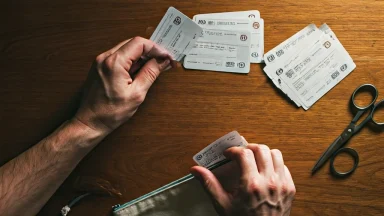
- The Binder Method: Use a small binder with plastic sheets, like those for baseball cards, to sort coupons by category (e.g., dairy, frozen, cleaning supplies).
- The Envelope System: Label several envelopes with store aisles or categories and file your coupons inside. Grab the relevant envelopes before heading into the store.
- The Accordion File: A small, portable accordion file is perfect for sorting coupons by expiration date or product type, making it easy to see what you need to use soon.
Your organization system is the foundation for executing powerful coupon pairing strategies. When you know exactly what you have, you can easily match a manufacturer’s printed coupon with a store’s weekly sale for double the savings. This is one of the most effective coupon stacking tips and is impossible to do if you can’t quickly find the right coupon.
Finally, always think about the complete savings picture by combining physical and digital offers. An organized binder of printed coupons is even more powerful when you also use your phone to access store loyalty deals. Before checking out, quickly review your list and see if any of your purchases qualify for offers on Cashback Apps for Everyday Savings to get a rebate after your trip.
Common Mistakes to Avoid When Printing Coupons
Diving into the world of printable coupons is exciting, but a few common slip-ups can turn your savings into frustration at the checkout counter. One of the biggest errors is printing coupons for items your family doesn’t actually need or use. It’s tempting to clip every deal, but this can lead to impulse buys that derail your budget. To prevent this, always align your coupon search with your grocery list, a practice made easier through effective Meal Planning on a Budget.
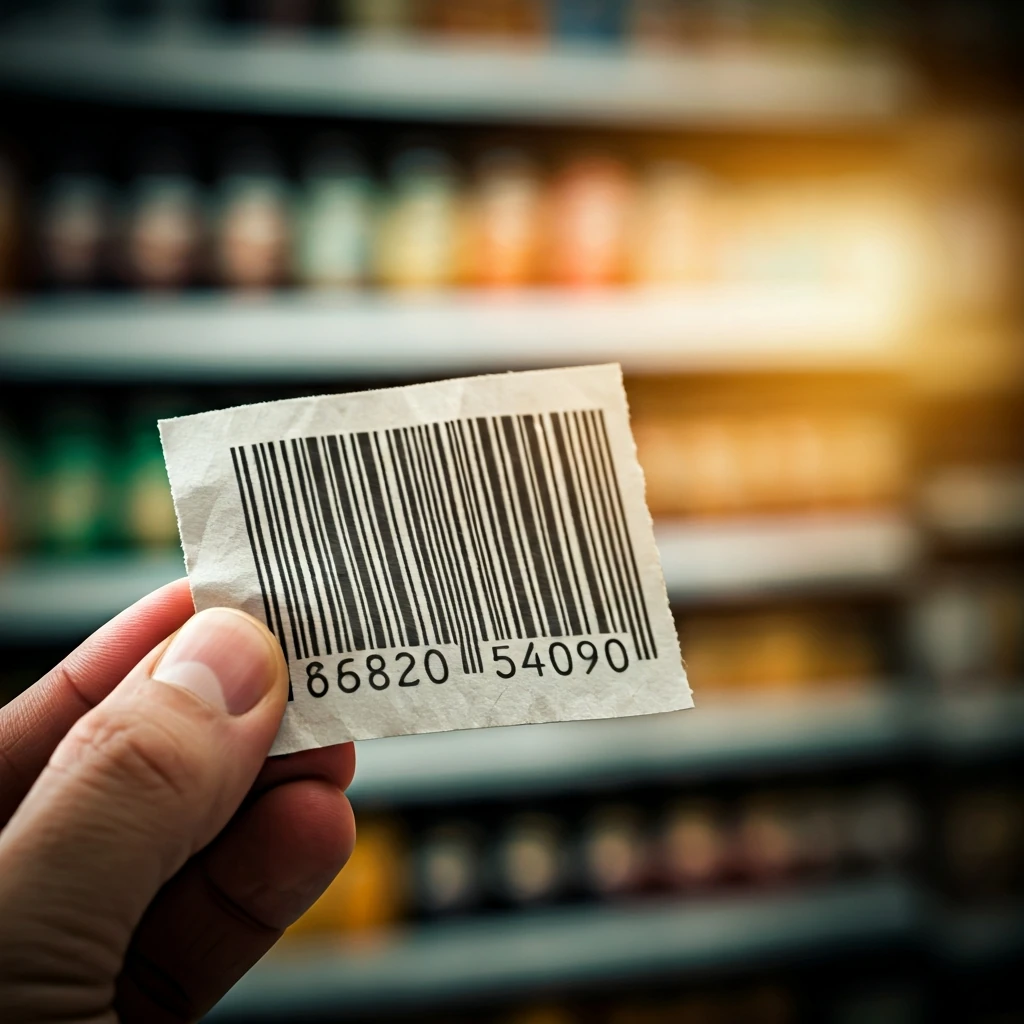
Another frequent issue is poor print quality, which can render a coupon unscannable and therefore invalid. Make sure your printer has enough ink and that you’re printing in black and white at a standard quality setting. Avoid resizing the coupon image, as this can distort the crucial barcode. A blurry or incomplete barcode is one of the quickest ways to have a coupon rejected by the cashier, so always double-check that it is crisp and clear before you head to the store.
Failing to track expiration dates is like letting money slip through your fingers. A well-organized coupon binder or folder is your best defense against this mistake. A simple system can help you see which offers are expiring soon, allowing you to prioritize your shopping trips. Learning How to Organize Your Home for Better Savings can provide great systems that extend beyond just your pantry and into your financial habits, like coupon management.
Finally, always steer clear of activities that could be considered coupon fraud. Never photocopy a printable coupon, as each one has a unique identifier meant for a single use. Sticking to reputable coupon websites and the manufacturers’ own pages is the best method for coupon fraud prevention. By avoiding these simple mistakes, you ensure that your coupons are accepted without a hitch, maximizing your savings and making every shopping trip a success.
Start Your Savings Journey Today
By avoiding these simple mistakes, you ensure that your couponing efforts are both rewarding and hassle-free. Mastering the art of printing coupons is a skill that pays tangible dividends, empowering you to take control of your household budget. It combines the satisfaction of a good deal with the practical benefit of more money in your wallet. Armed with the right tools, organization, and strategies, you can confidently turn your printer into a money-saving machine. Don’t wait—start exploring, printing, and saving on your very next shopping trip.
Frequently Asked Questions
Can I print the same coupon multiple times?
No, you generally cannot print the same coupon multiple times. Most printable coupons are controlled by software that assigns a unique barcode to each print and enforces a strict limit, typically two prints per device. Attempting to photocopy or otherwise duplicate a coupon is considered fraud and can get you banned from coupon websites.
What kind of printer is best for printing coupons?
For high-volume couponers, a monochrome (black and white) laser printer is often the most cost-effective choice due to its low cost per page. However, any reliable inkjet printer will also work perfectly well. The key is to use the ‘grayscale’ or ‘black and white’ setting to save on expensive color ink, as coupons do not need to be printed in color.
How do I know if a printable coupon is legitimate?
To ensure a coupon is legitimate, you should only print offers from trusted sources. These include the manufacturers’ official websites (like P&G or General Mills), major grocery store digital coupon portals, and well-known, reputable coupon aggregator sites like Coupons.com. Be skeptical of deals found on social media or email forwards that seem too good to be true, as they may be fraudulent.
What should I do if my printed coupon is blurry?
A blurry coupon, especially the barcode, will likely be rejected at the register. This is often caused by using the ‘Draft’ or ‘Economy’ print quality setting. Change your printer settings to ‘Normal’ or ‘Standard’ quality and reprint. If the issue persists, try running your printer’s head cleaning utility to clear any clogged nozzles.